The important question is why someone saw your result but chose not to visit. Sometimes the page is appearing too far down the results to attract attention. Sometimes the searcher wants something different from what the page offers. And sometimes the title or description does not give people a clear enough reason to choose your business.
An Impression Is Not the Same as a Website Visit
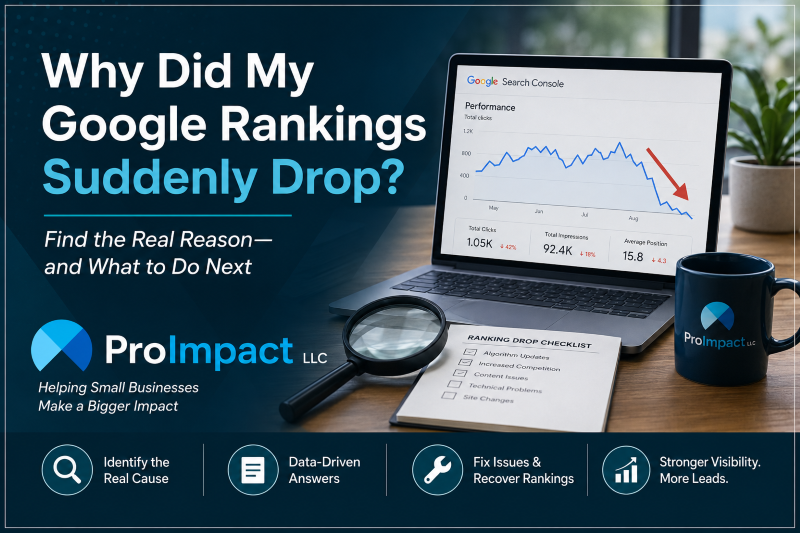
Google Search Console records an impression when a result for your site is shown in a way that qualifies for an impression. A click is a visit from someone selecting that result. Click-through rate, or CTR, is simply clicks divided by impressions. Those numbers are useful, but they tell only part of the story.
Consider a Tucson business that appears 100 times for a service search but averages position 17. Getting no clicks would not be especially surprising: the business is being shown, but usually not near the top of the results. Compare that with a page appearing regularly near positions three or four for a very relevant service search. If that page gets meaningful impressions and still no clicks, its search appearance and the competing results deserve a closer look.
Average position also needs context. It is an average across different searches, locations, devices, and result layouts—not a promise that your website sits in one fixed spot every time someone searches. A map, advertisements, and other results can influence what people notice before they reach a traditional website listing. That is why a single ranking number should not drive an expensive website decision.
Find Out Which Searches Are Producing the Impressions
Start in the Google Search Console Performance report. Compare two similar periods, such as the last 28 completed days and the 28 days before that. Look first at the queries generating impressions, then open the Pages report to see which URL Google is showing. A page that receives many impressions for a phrase unrelated to its actual service may have a different problem from a page that ranks just outside the first few results for its ideal customer.
For example, a Tucson company offering WordPress support may be shown for both “WordPress troubleshooting Tucson” and “WordPress web designer Tucson.” Those searches sound related, but they are not identical. Someone with a broken contact form needs help now. Someone looking for a designer may be comparing new website proposals. A page that tries to serve both searches without clearly addressing either may struggle to earn the click.
That is where query-to-page alignment matters. Your main service page should explain the service customers are actually searching for. A supporting article can answer a more specific question and lead interested readers toward the right service page. For ProImpact, the Tucson website design and redesign page is the destination for businesses evaluating a new or improved website, while the WordPress troubleshooting and support page serves a different need.
Look at the Search Result Before Rewriting the Page
Once you know the query and landing page, look at the search results as a customer would. Does the visible title explain the service clearly? Does the description help someone understand what is different about your business? Are the competing results offering local information, pricing guidance, examples, or answers that your page does not provide?
A generic title such as “Our Services | Company Name” gives a Tucson homeowner or business owner little to go on. A more specific title that accurately describes the service and location can make the result easier to understand. But changing the title is not always the right fix. Google can generate its own title link or snippet from page content, and a weak CTR can simply reflect a lower average position or a search result filled with more prominent features.
The page itself must also deliver what the title promises. If someone searches for a Tucson website redesign, the page should explain what the business receives, how the project works, and what happens after launch. A page that talks mostly about the company without helping the visitor make a decision may be less compelling. That is one reason organic SEO and content strategy involve much more than adding keywords to a page.
Check the mobile result as well. A title may be shortened on a phone, and search results can look quite different from those on a desktop. If mobile impressions are meaningful but mobile clicks are weak, that is a reason to investigate the mobile search experience—not proof that the website has a technical mobile problem.
Make the Next Change Based on the Actual Problem
If the page usually appears on page two, the priority may be stronger service information, clearer local relevance, useful examples, and better internal links. If it appears close to the top for the right query but people rarely choose it, the title, search snippet, and competing results deserve attention. If it receives impressions for searches the business does not really serve, more traffic from those searches may not be valuable in the first place.
There is also a second question: what happens after someone clicks? Google Analytics can help show which landing pages receive organic visits and whether those visits are engaged. But pageviews and engagement are not the same as inquiries. A business should verify that its important actions—such as a successful contact form submission or a meaningful phone-click event—are tracked correctly before deciding whether search traffic is producing leads.
For a small Tucson business, this is usually a better starting point than publishing another article simply because a keyword has impressions. Review the evidence, identify the specific gap, and make one purposeful improvement. Then allow enough time to see whether search visibility and visitor behavior change. Sometimes the right answer is to improve an existing service page rather than create another page competing for the same broad search.
You Shouldn’t Have to Figure This Out Yourself
As a small-business owner, you should know whether your website is helping people find and choose your business. But you shouldn’t have to spend your time studying Search Console reports, comparing click-through rates, or trying to determine why a page appears in Google but isn’t getting clicked.
That’s part of what I look at when I manage and review a website. Search visibility is only one piece of the picture. The more important question is whether the right people are finding the site, whether what they see in Google gives them a reason to visit, and whether the website does its job once they arrive.
You run the business. My job is to pay attention to what the website is doing, identify where something may be holding it back, and determine what is worth fixing.
Frequently Asked Questions
Does zero clicks mean Google is ignoring my website?
No. If Search Console records impressions, your site has appeared in eligible Google results. Whether those impressions are valuable depends on the searches involved, the position, and whether the page answers the searcher’s need.
Should I change my SEO title whenever CTR is low?
Not automatically. First compare the query, landing page, ranking position, and competing results. Google may also show a title or snippet different from the one you entered in WordPress.
Would a new blog post fix a service page that gets no clicks?
Sometimes a focused article can answer a related question and link readers to the service page. But if the existing service page is unclear or ranking too low for its main query, improving that page may be the more useful first step.
Is Your Website Being Seen but Not Chosen?
ProImpact helps Tucson small businesses review their website’s search visibility, content, usability, and WordPress foundation. A practical website review can help identify what deserves attention first—without assuming every problem calls for a complete redesign.