
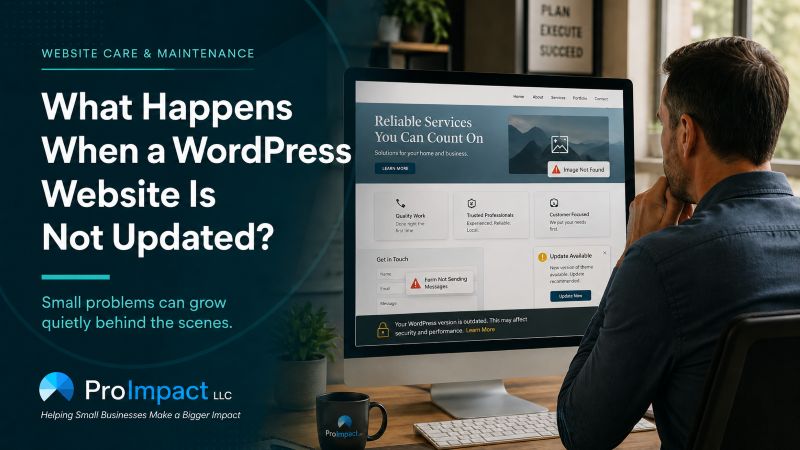
What Happens When a WordPress Website Is Not Updated?
A WordPress website may continue to look normal even when the software behind it is becoming outdated. Over time, skipped updates can lead to security weaknesses, broken forms, compatibility problems, slower performance, and repairs that become much more complicated than routine maintenance would have been.
A business website does not usually stop working without warning. More often, problems develop quietly while everything still appears normal to the business owner.
A contact form may appear to work but stop delivering messages. A page may begin displaying incorrectly on newer phones. An old website feature may no longer be supported. A security weakness may remain unnoticed because the homepage still loads normally.
To the business owner, the website may seem fine.
But websites depend on software that changes over time. Just as an older phone may struggle with newer apps, an older website may eventually have trouble working with newer browsers, security standards, mobile devices, and hosting systems.
The longer maintenance is postponed, the greater the chance that a routine update will become a more complicated repair.
A website can remain online long after the technology behind it has become outdated, vulnerable, or difficult to repair.
Your Website Is Made of More Than the Pages You See
Most business owners see their website as a collection of pages, photos, menus, and contact forms. Behind those visible pages are several systems working together to keep the website online.
WordPress provides the basic website platform. The design system controls how the pages look. Additional tools provide features such as forms, photo galleries, security, backups, and search engine settings. The hosting company provides the underlying environment that keeps everything running.
Each of these systems changes over time.
Updates are released to correct problems, improve security, and keep websites working with newer technology. When a website is maintained regularly, these changes are usually manageable.
When updates are ignored for months or years, the website may become dependent on tools that are no longer supported. At that point, what once would have been a routine update can become a much larger project.
Small Problems Can Grow Quietly
One reason website maintenance is easy to postpone is that an outdated website may continue to look normal.
There may be no obvious warning that a form is failing, a backup is incomplete, or part of the website has become vulnerable. The business may not discover the problem until a customer mentions it, a search engine reports an issue, or the website stops working properly.
Common warning signs include:
- Contact form messages are no longer being received.
- Pages look different on phones or newer web browsers.
- The website becomes noticeably slower.
- Images, buttons, menus, or photo galleries stop working.
- Security warnings begin appearing.
- The hosting company says part of the website is outdated.
- Updates cause unexpected changes to the design.
- No one is certain whether a current backup exists.
These problems can affect more than the website itself.
A visitor who encounters a broken page, missing image, security warning, or failed form may not tell the business owner. They may simply leave and contact a competitor.
That makes website maintenance partly a technical responsibility and partly a customer-service responsibility. The website should not only remain online. It should remain dependable for the people trying to use it.
Waiting Can Make Updates More Difficult
Some business owners avoid website updates because they are worried something may break.
That concern is understandable. An update can occasionally change the way a page looks or interfere with another website feature. However, postponing updates indefinitely usually makes that risk greater rather than smaller.
A website that is only slightly behind may be relatively easy to bring current. A website that has gone several years without maintenance may require outdated features to be replaced, damaged sections to be repaired, or the entire website to be rebuilt.
Over time, the company that created a website tool may stop supporting it. A design system may no longer work with newer hosting technology. A paid license may have expired. The person who originally built the website may no longer be available.
Smaller, Controlled Changes
Updates can be completed gradually, checked carefully, and corrected before small issues become major problems.
Larger, Less Predictable Repairs
Several outdated systems may need attention at once, increasing the chance of disruption, lost information, or a complete rebuild.
Eventually, the question is no longer whether someone should click an update button. The real question becomes how to modernize the website without losing its content, appearance, customer inquiries, or search visibility.
Website Maintenance Is More Than Clicking “Update”
Responsible website maintenance begins before an update is installed.
A reliable backup should be available in case something goes wrong. Important changes may need to be installed one at a time so any problem can be identified. Afterward, the website should be checked to make sure everything still works correctly.
That includes reviewing the homepage, service pages, navigation, mobile layout, buttons, contact forms, and other important features.
Automatic updates can be helpful, but they do not replace regular oversight. An update may install successfully while still changing the appearance of a page or causing a form to stop delivering messages.
The right maintenance approach depends on the website. A simple informational website may require less attention than a website with online scheduling, customer accounts, payments, or specialized forms.
The goal is not to install every change immediately or to avoid updates completely. The goal is to manage them carefully.
You Do Not Need to Understand the Technology
Business owners should not be expected to understand every system behind their website. They do need to know who is responsible for maintaining it, whether reliable backups exist, and whether important features are still working.
If a website has gone a long time without updates, the first step should be an evaluation of its current condition.
Some websites can be brought current through routine maintenance. Others may need older features replaced. In some cases, rebuilding is safer and more cost-effective than continuing to repair a website built on unsupported technology.
What matters most is not allowing uncertainty to become inaction.
A website should be reviewed before a security problem, failed contact form, hosting change, or complete breakdown forces the business owner to act.
Consistent maintenance can prevent many of those emergencies and help keep the website secure, supported, and dependable for the customers who rely on it.
Find Out What Your Website Needs Before Something Breaks
ProImpact can review your WordPress website, identify outdated or unsupported components, test its most important features, and help you determine whether it needs maintenance, repairs, or a more complete rebuild.
Start a Conversation